How to exchange crypto on Xgram in just a few clicks — A 2-minute guide!


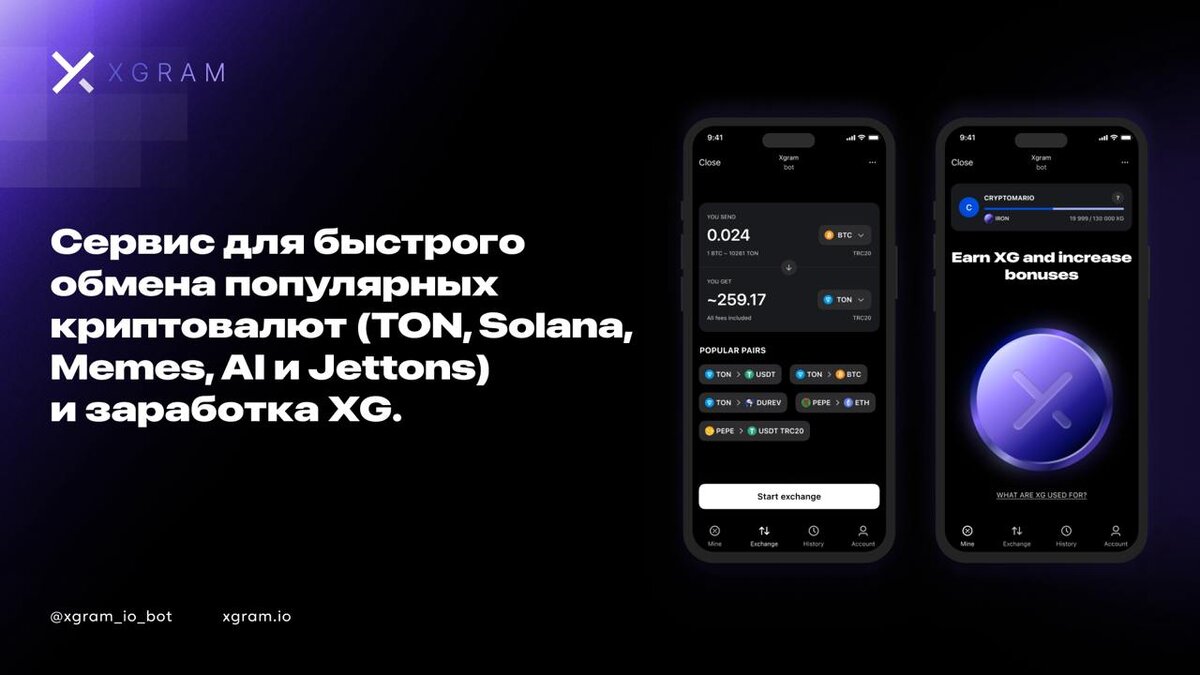
Step 1: Launch Xgram
Go to the website or launch the Xgram app.
Step 2: Select the coins to exchange
In the “Exchange” tab, select the cryptocurrency you want to exchange and the one you want to receive. Enter the amount and click “Start Exchange.”
Step 3: Enter your wallet address
Enter the wallet address where your tokens will be sent.
Step 4: Transfer funds
Copy the address provided in the app and transfer the required amount of assets. Once the transaction is complete, you can track the exchange process on the website or in the app.
Xgram is not only a convenient KYC-free crypto exchange but also an opportunity to earn through a referral program. We strive to make cryptocurrency exchange as simple and accessible as possible for everyone.

Private crypto swaps
Best rates. Secure. Wallet to wallet


 5 Min
5 Min