TL;DR:
You will need a secure wallet and an accurate recipient address to send Bitcoin. After checking your available balance and network fees, you can initiate the transfer. Once the transaction is broadcast to the blockchain, it usually takes from a few minutes to an hour for confirmation. The key is to double-check all details, keeping your Bitcoin safe and the process hassle-free.
Understand bitcoin basics
Before sending your first satoshi (the smallest Bitcoin unit), you will want to grasp a few foundational concepts. Bitcoin is a decentralized digital currency that relies on a global network of computers to verify and secure transactions. Because you “own” Bitcoin by possessing a unique private key, it is vital to store that private key somewhere safe. Additionally, Bitcoin addresses function like your bank account number. Each address is a long string of letters and numbers that identifies the destination of your funds.
When you send Bitcoin from one address to another, you broadcast a transaction that “tells” the network you want to move a specified amount. Miners or validators then confirm that transaction, adding it to a digital ledger known as the blockchain. Once confirmation happens on the blockchain, those bitcoins change hands. This system helps keep Bitcoin secure by making it nearly impossible to alter transaction records once they are finalized.
Because transactions are irreversible, there is no “undo” button if you make a mistake. That detail differentiates crypto from traditional banking platforms where you might file a dispute. Here, your greatest ally is attention to detail. By learning the fundamentals of blockchain confirmations, Bitcoin addresses, and keys, you lay a strong foundation for sending Bitcoin with minimal friction. Start by ensuring you have the right wallet type for your needs, as well as a general familiarity with how addresses work.
Finally, keep in mind that while Bitcoin is well known for volatility, this guide focuses on operational steps—how to move your Bitcoin from A to B. Price fluctuations will always be part of the picture. Your goal here is to conduct each transfer smoothly, so you can focus on building your knowledge about the broader crypto ecosystem.
Set up your wallet
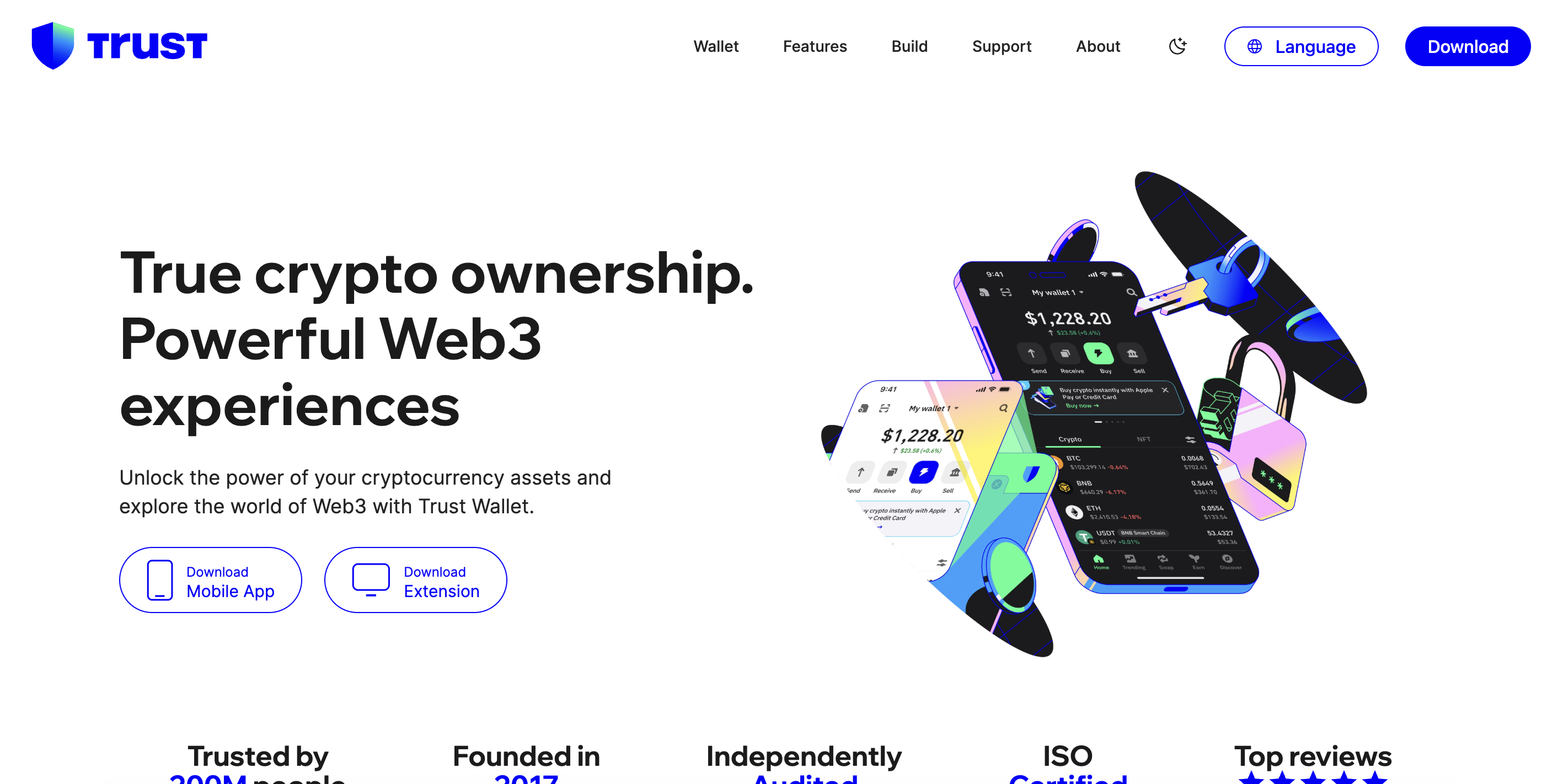
To send Bitcoin securely, you will need a wallet that gives you control over your private keys. There are several wallet options available, each with advantages tailored to different user preferences.
Software wallets:
- Desktop or mobile apps that let you create Bitcoin addresses and manage balances.
- Many are free and easy to install.
- Security depends on how well you protect your device from malware or unauthorized access.
Hardware wallets:
- Physical devices (often resembling USB sticks) that store your private keys offline.
- Commonly viewed as one of the most secure methods because hackers cannot access keys without possessing the physical device.
- However, you need to keep the device safe and remember any pins or passphrases.
Online/exchange wallets:
- Hosted by cryptocurrency exchanges. They handle private keys on your behalf.
- Convenient for frequent traders, but less secure if the platform is ever hacked or if you do not safeguard your login credentials.
- Sending to an external address from an online wallet might require extra steps like two-factor authentication.
Paper wallets:
- Offline method where you print or write down your private keys and addresses on paper.
- Extremely secure if you keep the paper safe, but easy to lose or damage.
When deciding which wallet format is best, consider your risk tolerance and how frequently you plan to transact. A hardware wallet is often a good bet for moderate to large Bitcoin holdings, while a reputable software wallet on your smartphone might suffice for smaller sums. Regardless of your choice, create strong passwords and enable extra layers of protection like two-factor authentication whenever available.
Once you have settled on a wallet, proceed to set it up carefully. If it is a software wallet, download it from the official site or trusted app store to reduce the risk of malware-laced copies. Double-check your seed phrase or backup phrase, which is typically 12 to 24 words for restoring your wallet if you ever lose access to your device. Store that phrase in a secure, offline location—do not just screenshot it and leave it in your phone’s photo gallery. A methodical approach to setup ensures your private keys remain safe from unauthorized hands.
Get your recipient’s address
To send Bitcoin to another wallet, you need the correct Bitcoin address of the recipient. This address is composed of a series of letters and numbers, often beginning with “1,” “3,” or “bc1,” depending on the address format. Typically, your recipient will provide you with their address in text form or as a QR code.
- Avoid manual typing errors: Bitcoin addresses can be up to 42 characters long, and a single typo can result in sending your funds to an unintended address. Copy and paste whenever possible.
- Confirm the address type: Some wallets support multiple address formats. Make sure your wallet is compatible with the format your recipient uses.
- Double-check each time: Do not rely on a saved address if you are unsure. Always confirm the address with your intended recipient, especially for large transactions.
Many wallets provide a button or option to scan a QR code if you are sending from a mobile device. This method drastically reduces the chance of typing the wrong address. If your wallet does not support QR codes, you can still reduce error risk by carefully copying and pasting.
Ensure also that your recipient is ready to receive Bitcoin, meaning their wallet is set up and connected to the blockchain network. If they are using an exchange-based wallet, they will usually see a deposit address that they can share with you. Taking a moment to confirm these details upfront can save you significant headaches and potential financial losses later.
Send bitcoin securely
With your wallet set up and the recipient address confirmed, you are ready to execute the transaction. Sending Bitcoin usually involves the following steps within your chosen wallet interface:
- Locate the Send or Transfer option: In most wallets, this button or tab lets you create a new outgoing transaction.
- Enter the recipient address: Paste the address you copied or tap on the QR code scanner if available.
- Specify the amount: Enter how much Bitcoin you are sending. Some wallets let you specify in BTC or your local currency—choose whichever suits you.
- Set the transaction fee: Many wallets automatically suggest a fee based on network congestion. A higher fee can expedite confirmations, while a lower fee might result in longer wait times.
- Review details: Double-check your inputs, ensuring the address and amount match your intentions.
- Confirm and send: If prompted, enter your wallet passphrase or PIN, then confirm sending. Your wallet should display a transaction ID or hash afterward.
The transaction fee remains one of the main areas where newcomers make mistakes. If you set it too low on a busy day, your transaction may get stuck in a “pending” state for hours or even days. If you set it too high, you might spend more than necessary. Most wallets have a recommended default fee that balances speed with cost, which is suitable for beginners.
Once you click “Send,” your wallet broadcasts your transaction to the Bitcoin network. At this point, you will typically see a confirmation screen telling you the transaction is pending. If you check the recipient’s wallet address on a blockchain explorer website, you will often see the unconfirmed transaction appear there. This step assures you that the network is aware of your transaction, but it might be waiting in a queue to be verified and added to the blockchain.
Confirm your transaction
After sending, the crucial next step is to ensure your transaction confirms on the blockchain. Every block in the Bitcoin network gets mined roughly every 10 minutes, but this can vary. The moment your transaction is included in a newly mined block, you receive your first network confirmation.
- Confirmations explained: Each confirmation is another block mined after yours has been added to the blockchain. Some exchanges and services consider one or three confirmations enough, while others might require more—commonly up to six—for extra security.
- Where to check: You can use a blockchain explorer and input your transaction ID or the recipient’s address to view the confirmations in real-time.
- What if it is stuck?: If the network is congested or you set a low fee, your transaction might remain unconfirmed for longer than normal. Most of the time, it eventually goes through once the miners pick it up. If it does not for an extended period, some wallets allow a “replace by fee” or “RBF” function to increase the fee and bump your transaction’s priority.
Staying patient during confirmation is part of the crypto experience. Bitcoin is highly reliable but can slow down under heavy network load. Once you have at least one confirmation, your transaction is effectively irreversible. The higher the number of confirmations, the more secured it is in the ledger.
If you are sending Bitcoin to a friend or an exchange account, ask them to notify you once they see the funds arrive. This communication helps you confirm that everything worked smoothly on their end. Once confirmed, your Bitcoin is fully transferred to the other wallet, and the transaction is final.
Use Xgram for easy conversions
While learning how to send Bitcoin to another wallet, you might also need to swap different cryptocurrencies or even trade crypto for fiat money. In such scenarios, you can explore platforms like Xgram, an exchange specifically designed to simplify conversions. Here are five things to know about using Xgram:
- Xgram allows you to exchange cryptocurrencies without requiring you to connect a separate wallet. You simply choose the crypto you want to trade, specify amounts, and let the platform handle the backend.
- You can also do ordinary swaps, such as BTC to ETH, or go from Bitcoin to a stablecoin, with minimal hassle.
- One notable benefit is potentially lower fees compared to certain other services. Lower fees can be especially helpful if you perform frequent trades or smaller transactions.
- Since you do not need to tether an external wallet, you reduce the complexity of managing multiple addresses when performing simple swaps.
- Xgram aims to provide user-friendly interfaces that guide you through each step, making it easier for beginners to purchase, sell, or exchange Bitcoin.
If your main priority is sending Bitcoin from your personal wallet to a friend or family member, you might not always need an exchange platform. But if you often juggle multiple cryptocurrencies or wish to convert some of your BTC into another digital asset or fiat, an all-in-one solution like Xgram can streamline your experience. Just remember to compare fees, check user reviews, and ensure you are comfortable with any platform before committing your funds.
Avoid common mistakes
Even if you follow a guide to the letter, a few pitfalls can trip you up. The good news is that with the right awareness, you can steer clear of these common errors:
Sending to the wrong address
Mistyping a single character in an address can lead to a lost transaction. Always copy and paste addresses or scan a QR code. If you see a suspiciously short address or one with unusual characters, double-check.Paying insufficient network fees
Trying to save a small amount on fees can end up in a delayed or even stuck transaction. Before finalizing, see what the user community in your wallet or exchange recommends for a typical network fee.Falling for phishing links
Threat actors sometimes create fake wallet apps or websites that look authentic. Download your wallet software from the official site or a trusted app repository only.Not backing up your seed phrase
If you lose your phone or your computer crashes, your Bitcoin could vanish if you do not have your seed phrase or recovery backup stored safely. Create multiple copies and store them in physically secure places.Overlooking wallet compatibility
Some older wallets might not fully support newer address formats. Make sure your wallet can send to the address type you are given. If in doubt, confirm with the recipient.
By being mindful of these simple but costly mistakes, you maintain greater control over your coins. The fact that Bitcoin transactions are irreversible shows how important it is to slow down, verify each step, and only send once you are sure.
Take additional security steps
As you gain confidence in sending Bitcoin, you can level up your security practices to stay ahead of potential threats. Here are some ways to reinforce your defenses:
Enable two-factor authentication (2FA)
Whenever your wallet or exchange allows 2FA, set it up. In addition to your password, you will be prompted for a one-time code from a mobile device or separate authentication app. 2FA can significantly reduce the risk of unauthorized access.Use a dedicated device for crypto
If you manage substantial amounts of Bitcoin, consider having a separate phone or computer specifically for crypto transactions. Keeping your everyday browsing, emails, and downloads off that device helps limit attack vectors.Watch out for phone or email scams
Hackers may impersonate reputable services, claiming you must “verify” your wallet data or send them Bitcoin. Legitimate services never ask for your private keys or passwords via email or direct messages.Regularly update wallet software
Running outdated software can expose you to known vulnerabilities. If your provider issues a security patch or new release, adopt it promptly to stay protected.Test small amounts first
Especially when addresses are new or large sums are at stake, consider sending a test transaction with a minimal amount of Bitcoin. If everything goes smoothly, proceed with the full amount.
Enhancing your security posture goes hand in hand with the convenience of transacting in Bitcoin. Crypto-friendly hardware wallets, up-to-date antivirus softwares, and good digital hygiene all contribute to a smoother experience. Remember, you are effectively acting as your own bank in the crypto space, which is why thorough security measures are paramount.
Frequently asked questions
Below are five FAQs to help you troubleshoot and refine your knowledge as you learn how to send Bitcoin to another wallet:
Does the recipient need to be online for me to send Bitcoin?
No, the recipient’s wallet does not need to be actively online at the moment you send your transaction. The Bitcoin network will process everything on the blockchain. Once confirmed, the recipient can simply open their wallet anytime to see the updated balance.What if I accidentally send Bitcoin to a non-Bitcoin address?
Bitcoin addresses are usually not interoperable with other blockchains. If you mistakenly enter an address that does not belong to the Bitcoin network, your transaction might fail to send or you could lose your funds. Double-check that the recipient’s address is specifically a Bitcoin address.How long do confirmations usually take?
On average, a Bitcoin block is mined every 10 minutes. However, if the network is heavily congested or you used a lower-than-average fee, it may take longer for your transaction to be included in a block. You can track the status using a blockchain explorer.Is there a minimum amount of Bitcoin I can send?
In theory, Bitcoin transactions can be as small as a few thousand satoshis (a fraction of a BTC). Still, wallet providers and exchanges might set minimum amounts to cover transaction fees and reduce spam. Check your wallet’s policy for exact limits.Can I cancel or reverse a pending Bitcoin transaction?
Once a transaction has been broadcast to the network, it is effectively irreversible. The only partial workaround is if your wallet supports “replace by fee” (RBF), allowing you to increase the fee to speed up confirmation, not reverse the transaction. Always confirm details before finalizing.
Final note
Sending Bitcoin to another wallet involves several moving parts, but it becomes second nature with practice. You start by creating or confirming you have a reliable wallet, obtaining the recipient’s address, and meticulously reviewing each step while setting fees and finalizing the transaction. Once your transaction is visible on the blockchain, it is only a matter of time before it confirms and the recipient sees the funds.
After a few successful transactions, you will develop a feel for network fees, blockchain confirmations, and best security practices. Meanwhile, if you decide to switch between crypto and fiat or simply explore different tokens, platforms like Xgram may streamline the entire process by reducing fees and letting you swap without connecting a separate wallet. Remember to treat each step with care—your diligence will pay off as you build a more confident approach to managing and transferring Bitcoin.
You have everything at your fingertips now. Take a steady, thorough path forward and you will find sending Bitcoin from one wallet to another a manageable and rewarding aspect of your crypto journey.

Private crypto swaps
Best rates. Secure. Wallet to wallet

 5 Min
5 Min