How to Use a Solana Explorer: Track Any SOL Transaction or Wallet


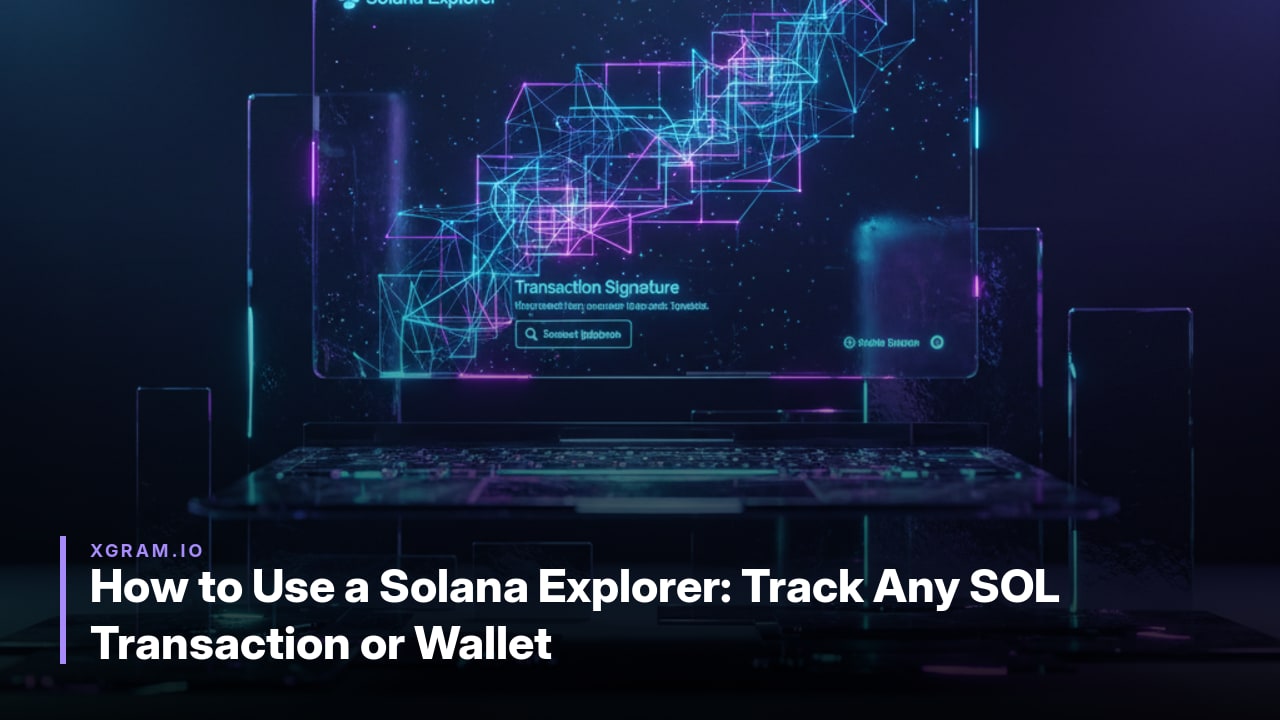
A Solana explorer lets anyone track SOL transactions and wallet activity on the public ledger in seconds. The three leading options are explorer.solana.com, maintained by the Solana Foundation, solscan.io, acquired by Etherscan in 2024, and solana.fm, acquired by Jupiter in September 2024.
Understanding Solana Block Explorers
Each explorer offers distinct strengths. The official site prioritizes raw canonical data and network health metrics. Solscan emphasizes token analytics, DeFi dashboards, and CSV exports. Solana.fm highlights visual transaction flows and readable summaries. All three support the mainnet-beta, devnet, and testnet clusters through a simple UI selector.
Explorers let users review transactions, wallet balances, program activity, and staking details directly from public ledger data. They display success status, fees, account involvement, instructions, token changes, timestamps, and block information without requiring node operation or custom tooling.
Locating a Transaction by Signature
Paste the transaction signature, a base58 string, directly into the search field on any Solana explorer. The interface immediately routes the query to the selected cluster, defaulting to mainnet-beta unless you switch to devnet or testnet in the cluster selector.
Results load with the transaction status shown as success or failed, the exact fee paid, every account that participated, the ordered list of instructions and inner instructions, and the net token balance changes for each involved SPL token. Timestamp, block, and slot data appear alongside these details for quick verification of execution order and finality.
This single lookup replaces manual RPC calls. Traders routinely use it to confirm whether a swap executed, to audit fee impact, or to trace token movements across programs without leaving the browser.
Decoding Transaction Details and Network Metrics
Once a transaction signature is located, explorers present a structured view of its execution. The success status field shows whether the transaction completed without errors or failed due to program constraints. Inner instructions list the additional operations spawned by the primary instruction, such as token transfers or account creations triggered within the same atomic bundle.
Timestamps record the exact moment the transaction was included, while the slot number identifies its position in the blockchain sequence. These values help verify ordering and timing relative to other network activity. Fee amounts appear alongside, typically averaging 0.00001984 SOL based on recent Solscan data.
The V1 transaction format upgrade activated on September 15, 2026, at epoch 1035, raised the maximum transaction size from 1,232 bytes to 4,096 bytes. Explorers now flag these larger transactions by displaying expanded instruction sets and bundled actions that previously required multiple signatures. This change is visible in the detailed instruction breakdown, where more complex DeFi or token operations fit into one entry.
Network metrics displayed alongside include current TPS readings, which ranged between 3,933 and 4,734 on explorer.solana.com snapshots from September 16, 2026, and cumulative transaction counts nearing 549.2 billion. Slot progression and uptime indicators further contextualize the transaction within Solana's ongoing 100 percent uptime record since February 2024.
Analyzing Wallet Addresses and Holdings
Any public key pasted into a Solana explorer opens a dedicated wallet page that surfaces the account’s current SOL balance alongside a complete list of SPL token holdings. Richer interfaces such as Solscan add token images and metadata, while the official explorer shows raw balances only.
Staking information appears directly below the native balance, listing active delegations, rewards earned, and the total staked amount. NFT collections are displayed as separate tabs or sections, often with collection-level summaries that let users quickly gauge portfolio composition without leaving the page.
Transaction history is rendered as a scrollable feed that includes timestamps, counterparties, and net balance changes for SOL and every SPL token. Filters allow narrowing results to specific program IDs, making it straightforward to isolate activity related to a particular dApp or protocol.
Program IDs themselves can be searched independently; their pages reveal deployed bytecode, recent instructions, and aggregate usage statistics. Cross-referencing a wallet’s transaction feed with these program pages helps identify which contracts have interacted with the address most frequently.
Solscan surfaces DeFi dashboards and CSV export options on wallet pages, whereas Solana.fm emphasizes visual flow diagrams of token movements. These presentation differences let users choose the explorer that best matches their analytical workflow.
Comparing Popular Solana Explorers
Three primary tools stand out for Solana users seeking to examine transactions or wallet activity: the official explorer.solana.com, solscan.io, and solana.fm. Their differences appear most clearly in data presentation, analytics depth, and visual aids, especially when viewing September 2026 network figures.
| Feature | explorer.solana.com | solscan.io | solana.fm |
|---|---|---|---|
| Primary Focus | Raw canonical data and network health metrics | Token analytics, DeFi dashboards, CSV exports, labeled instructions | Visual transaction flows and readable summaries |
| Analytics Tools | Network-wide metrics such as active stake | Token holdings, DeFi activity, export options | Simplified overviews of program activity |
| Raw Data Access | Full instruction details and slot-level records | Balance changes with some labeling | Condensed instruction lists |
| Visual Elements | Basic status indicators | Token images and metadata | Flow diagrams for transaction paths |
| TPS (Sep 16 2026) | 3,933–4,734 | ~3,256 total / 1,164 true non-vote | Not separately reported |
| Total Transactions (Sep 16 2026) | ~549.1–549.2 billion | ~549.1–549.2 billion | Not separately reported |
Traders needing precise fee calculations or staking figures often start with explorer.solana.com for its direct network statistics. Those exporting token histories or reviewing DeFi positions turn to solscan.io. Users who prefer quick visual confirmation of instruction order select solana.fm. The September 2026 activation of the V1 transaction format and slot-time reductions appear consistently across all three, allowing direct comparison of the same on-chain events.
FAQ
Which cluster should I select to track a real SOL transaction?
Choose mainnet-beta for live network activity. The UI on explorer.solana.com, solscan.io, and solana.fm lets you switch to devnet or testnet when testing programs or new instructions.
What does the displayed transaction fee represent?
The fee shows the exact lamports paid for priority and base costs. Solscan reports an average of 0.00001984 SOL across recent activity as of mid-September 2026.
Can I export wallet or transaction data for further analysis?
Solscan provides CSV exports of token holdings, transaction history, and DeFi dashboards. The official explorer focuses on raw on-chain data without built-in export tools.
When should I switch from Solscan to the official explorer?
Use explorer.solana.com when you need canonical network metrics such as active stake (439.8M SOL) or total transactions processed (549.1 billion). Solscan is stronger for token analytics and labeled instructions.
How do visual flows on solana.fm differ from raw data views?
Solana.fm renders readable summaries and transaction paths. Switch to it when you want quick overviews instead of the detailed instruction lists shown on the official site or Solscan.

Private crypto swaps
Best rates. Secure. Wallet to wallet